Books that stay balanced
Every transaction records both where money comes from and where it goes. Double-entry bookkeeping keeps your balances, credit card bills and net worth consistent.
Drag. Enter. Done.
Drag Cash onto Dining to record lunch, or drag a bank account onto a credit card to pay its bill. Evenly handles the accounting behind the scenes.
Your data belongs to you
No account, no tracking, no ads. Your private ledger lives on your device. Evenly’s App Store privacy label is “Data Not Collected.”
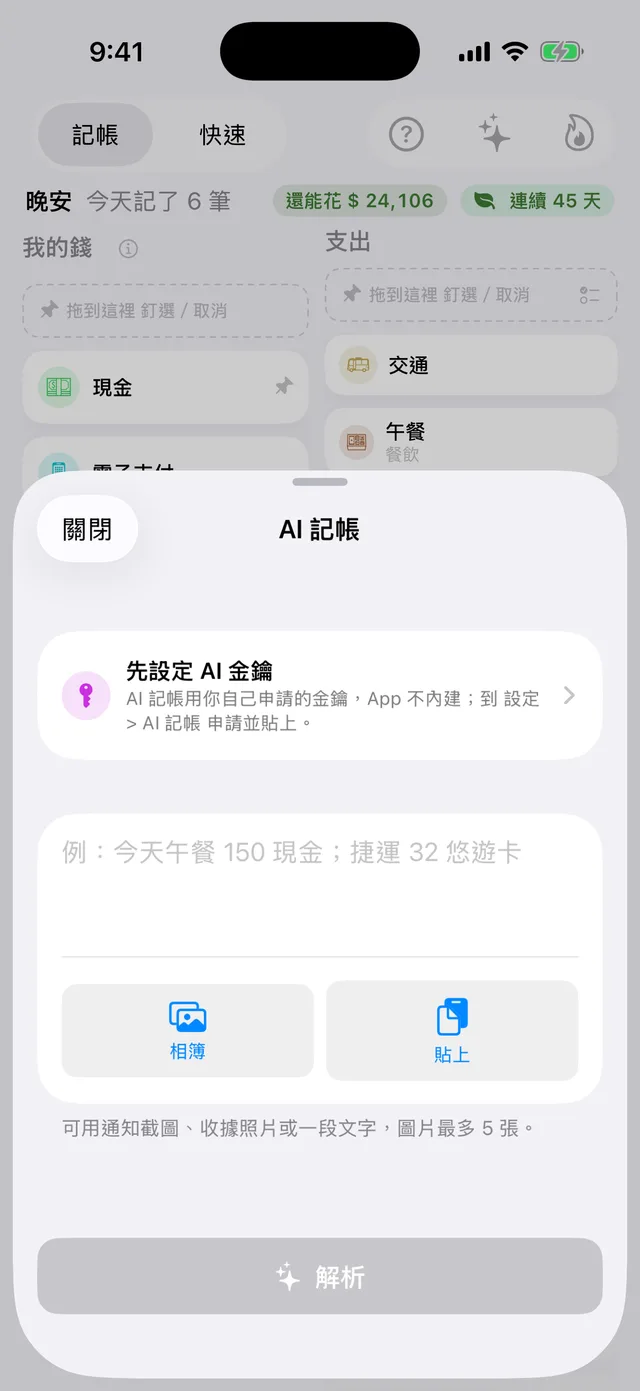
A photo or a few words. Ready to record.
Add a receipt photo, a payment notification screenshot or a note like “Lunch 15 cash; train 3 transit card.” AI turns it into individual transactions. Review before saving, and undo in one tap if needed.
- Add a card’s last four digits, bank name or payment service to an account to match payment notifications automatically.
- Use Siri, or share photos and text to Evenly from other apps.
- Bring your own AI API key. Requests go directly to your provider, without passing through our servers.
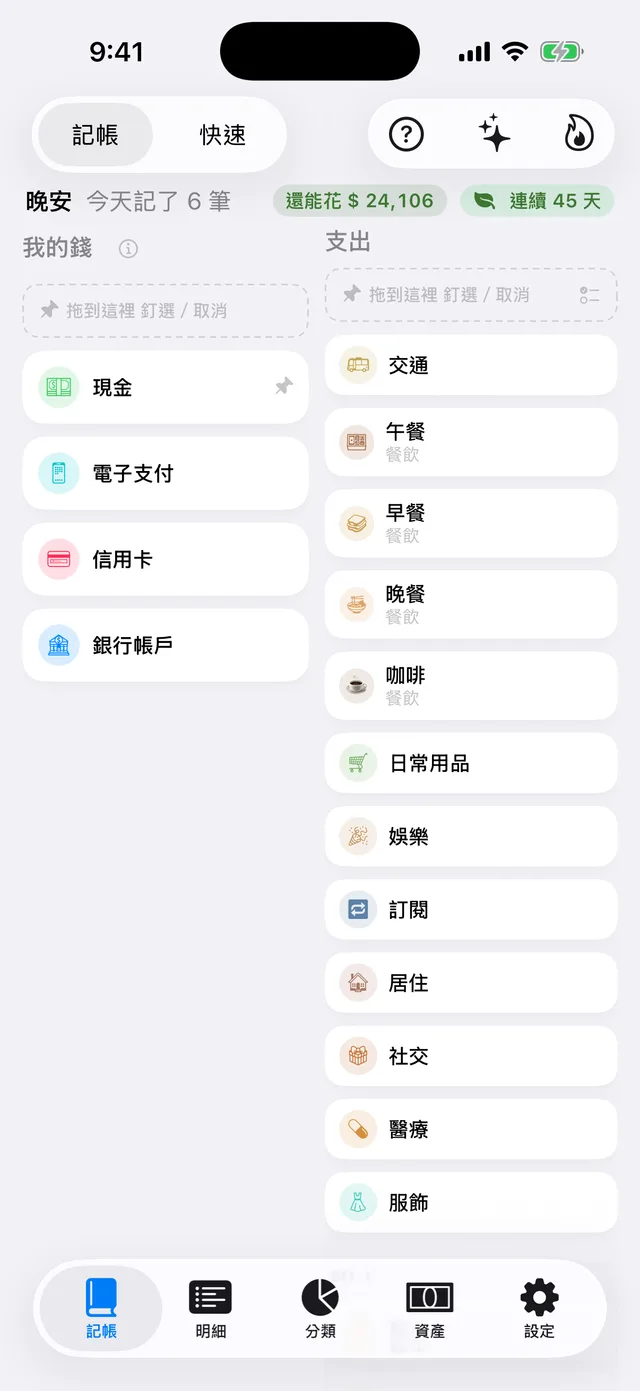
Keep track with a simple drag
Your accounts on the left. Categories on the right. Drag a payment account onto a category and enter an amount. Evenly balances the debit and credit for you.
- See today’s entries, your remaining monthly budget and your tracking streak at a glance.
- Built-in flows for transfers, credit card payments and splitting bills.
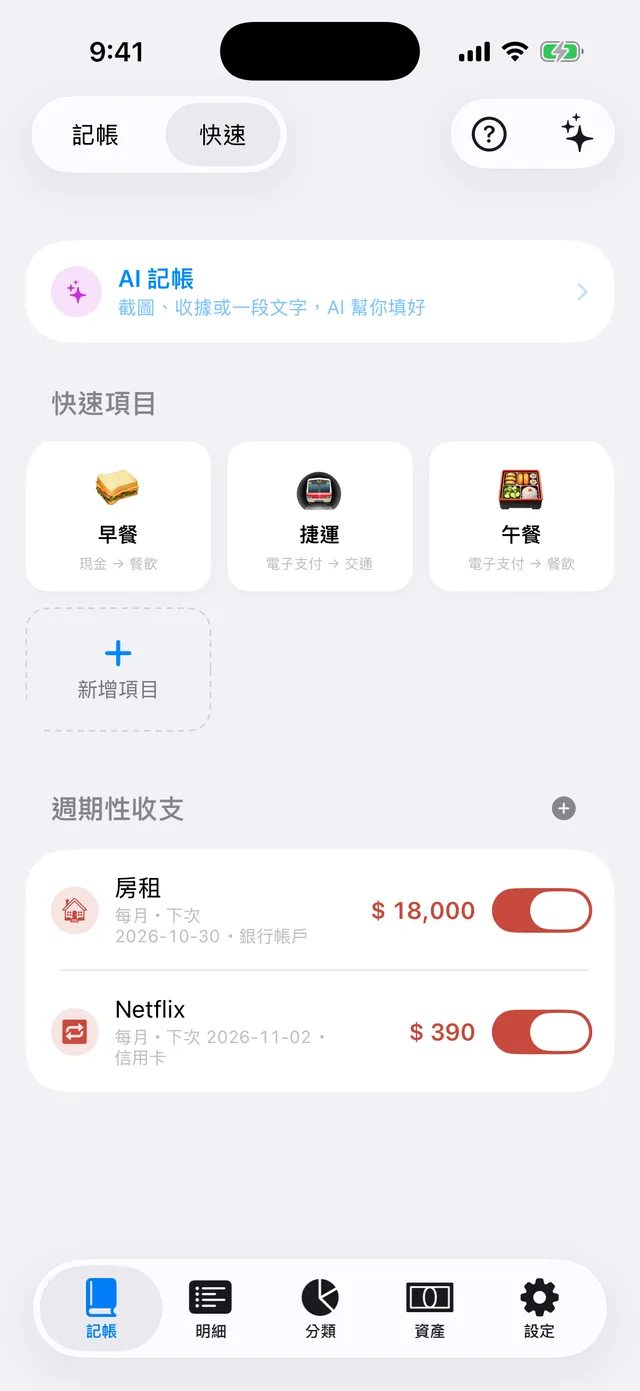
Your everyday entries, a tap away
Save breakfast, transit and other frequent expenses as tiles. Tap one and enter the amount. Set up rent, subscriptions and other recurring transactions once to record them automatically.
- Log expenses from the Home Screen with the quick entry widget.
- Evenly detects recurring monthly charges so you can turn them into automatic entries in one tap.
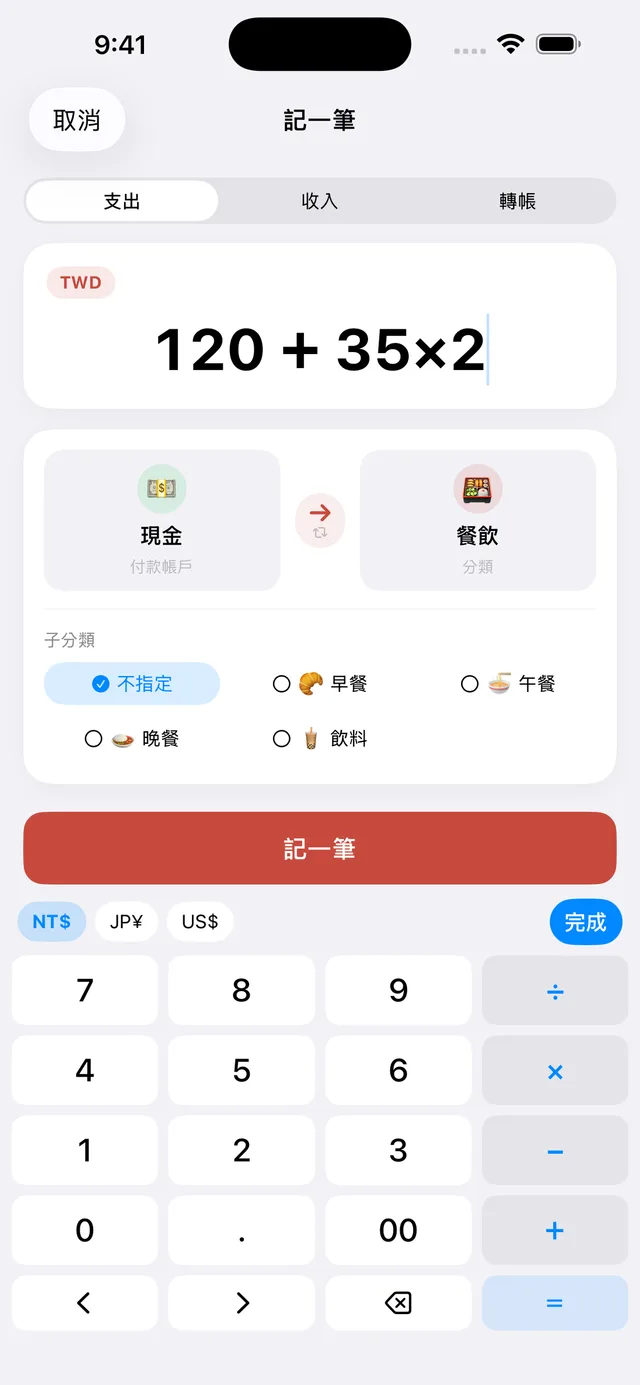
A keypad made for your money
See thousands separators as you type, enter calculations directly, move the cursor and switch currencies—all from the keypad.
- Type “120 + 35 × 2” and let Evenly do the math.
- Split a total evenly, then adjust one person’s share to redistribute the rest automatically.
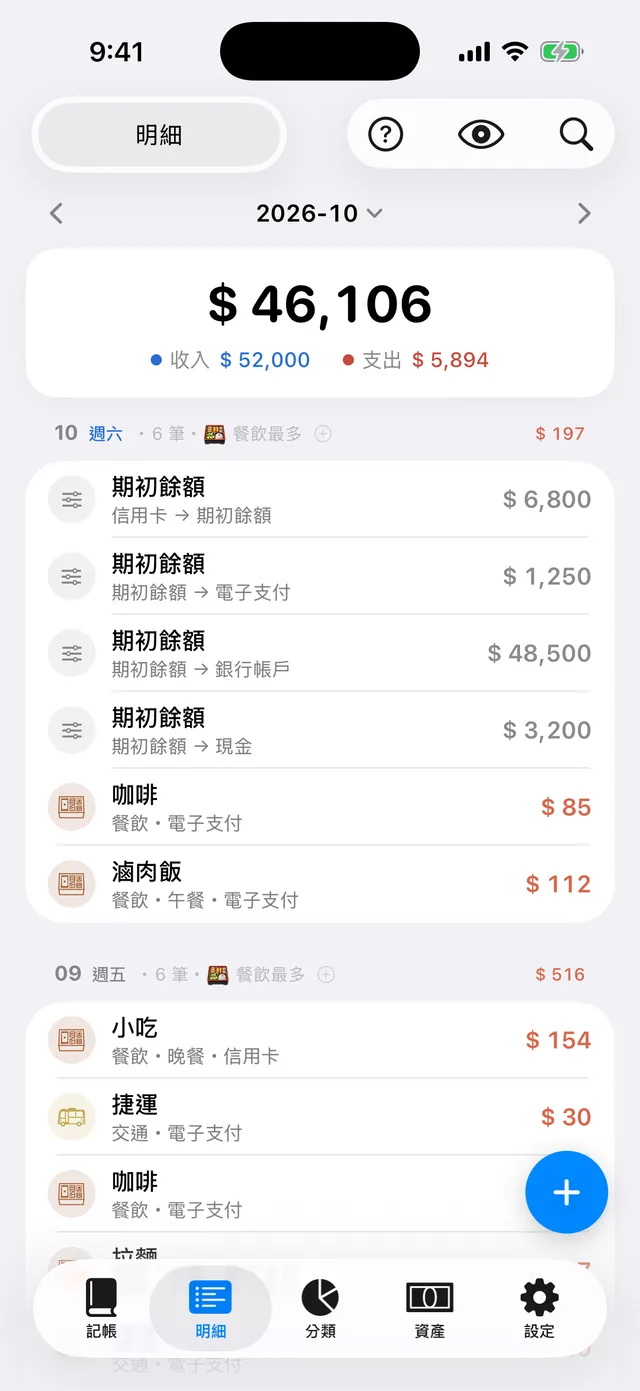
Find every transaction
Browse entries by date and see your daily activity and biggest spending categories. Tap a date to add a missed entry, or search your past transactions.
- Hide amounts with one tap when someone is nearby.
- Reconcile all accounts on one screen each month. Adjust only the balances that differ, then apply the changes together.
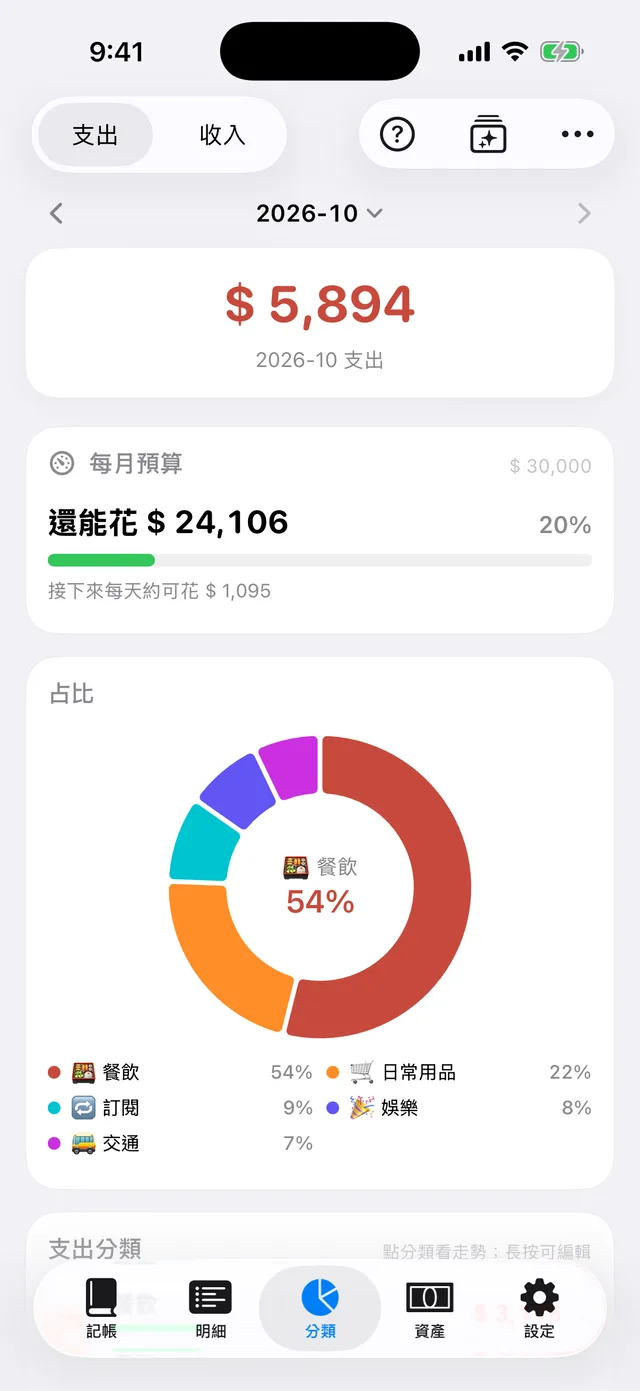
See where your money goes
Set a total monthly budget or budgets by category. See what you have left this month and roughly how much you can spend each day. Explore category breakdowns, trends and averages by day, week or month.
- Get reminders when spending reaches 80% and 100% of your budget.
- Start each month with an automatic review of the previous month. Share it with amounts hidden by default.
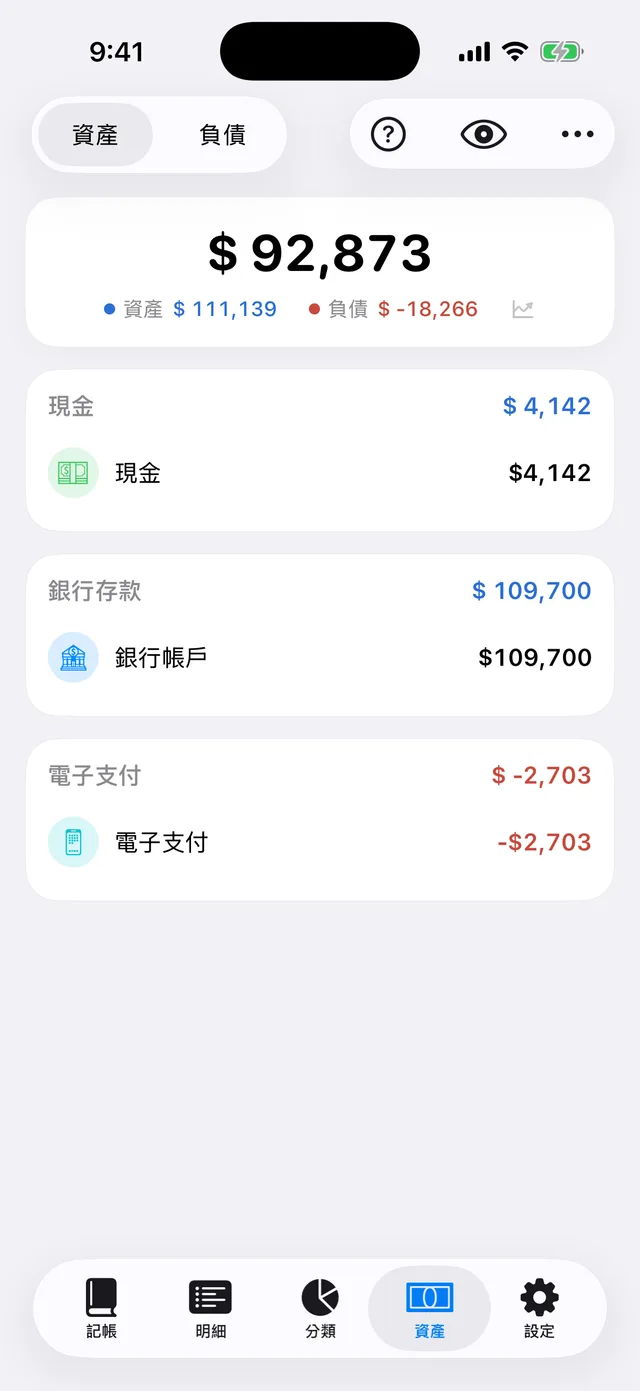
Your net worth and card bills, together
See your assets, liabilities and net worth in real time. Set each card’s statement date, payment due date and credit limit to view what you owe this cycle and next.
- Payments after the statement date reduce the current bill, so you see what is still due.
- Keep foreign-currency amounts in their original currency, view converted totals and update exchange rates in one tap.
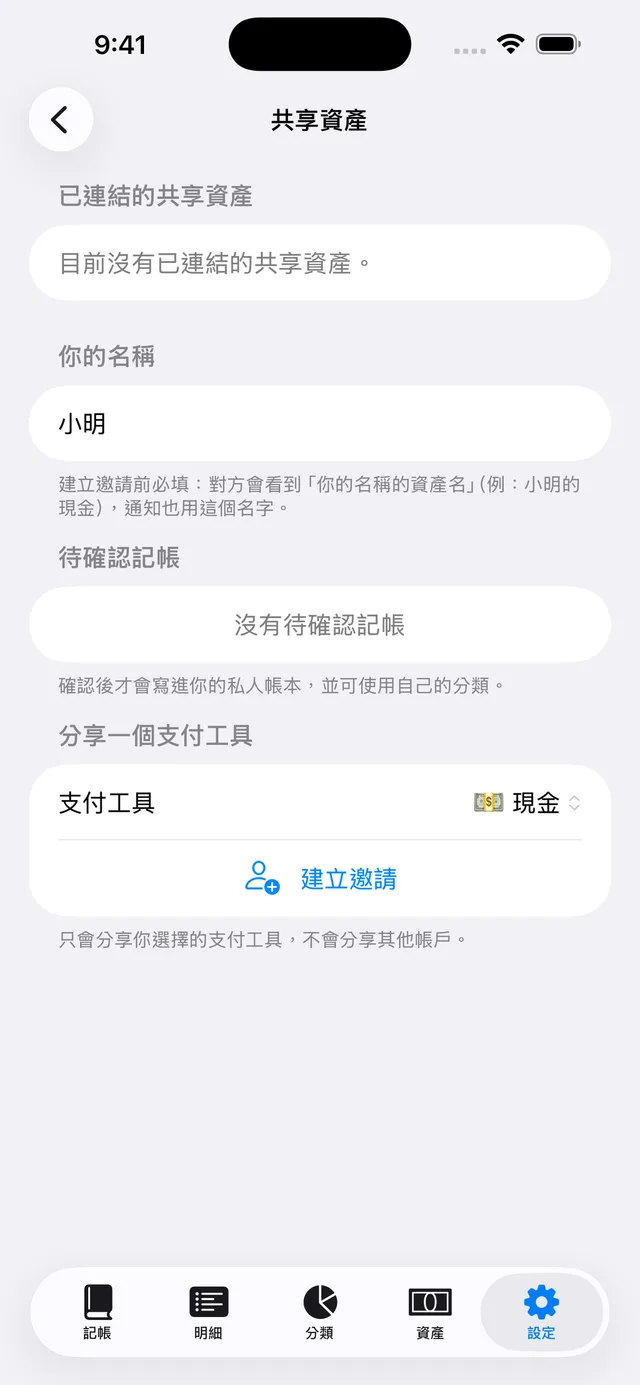
One family card. A clear shared picture.
Invite another iCloud user to share a payment account, such as a family credit card. Their entries arrive in your review queue and enter your ledger only after you confirm them.
- Share only the payment account you choose. Your other accounts stay private.
- Sharing runs through your own iCloud, without a third-party server.
More ways to make it yours
Explore with sample data, change anything and clear it in one tap when you are ready to start.
Get a step-by-step tour of every screen. Tap “?” to revisit it anytime.
Record from the Home Screen, Lock Screen, Control Center or Action button.
Paid for a friend? Record your meal and the amount they owe you in a single transaction.
Back up to iCloud Drive manually or on a schedule, then restore when you change devices.
Import a .mmbak file with your accounts, categories and years of transactions.
Three interface languages, with support for dark mode.
Support for VoiceOver, larger text sizes and Reduce Motion.
Your books stay in your hands
No sign-up. No tracking, analytics or advertising SDKs. Your private ledger is stored on your device.
AI entry sends the text or photos you choose directly to your AI provider using your own API key, stored in your device’s Keychain. Exchange rate updates, iCloud backups and account sharing also use network connections.

Start keeping balanced books
Moving from Money Manager? Import your history in one step.
Download free on the App Store