Mirror Repository
什麼是 Mirror Repository?
將程式碼備份到別的 Repo 上
例如:將程式碼也備份到 Github 上
讓我們來將程式碼 Mirror 到 Github 上吧!
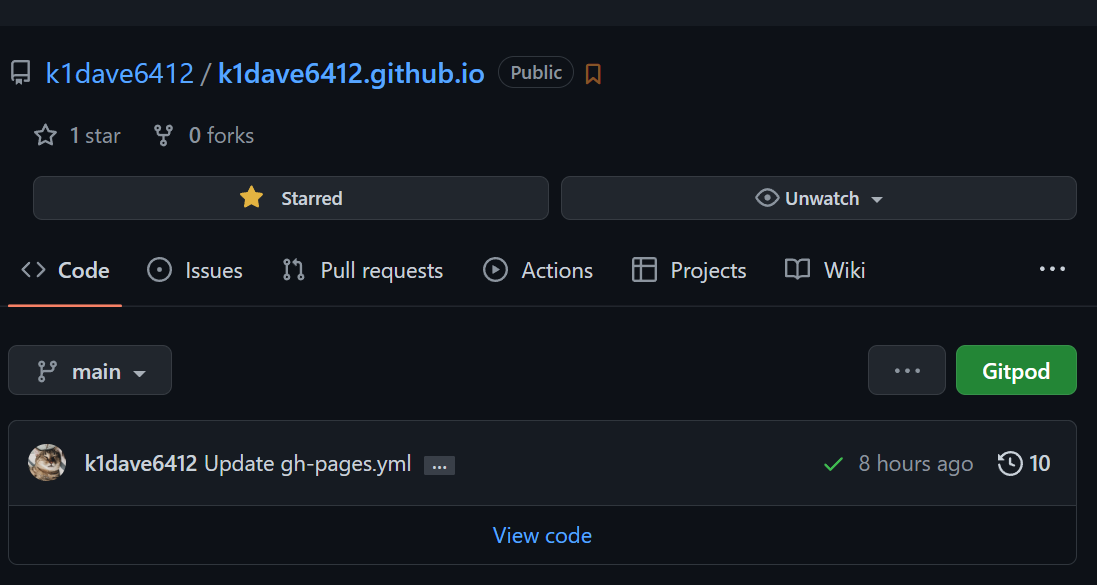
1. 先準備好要 Mirror 的 Github Repo
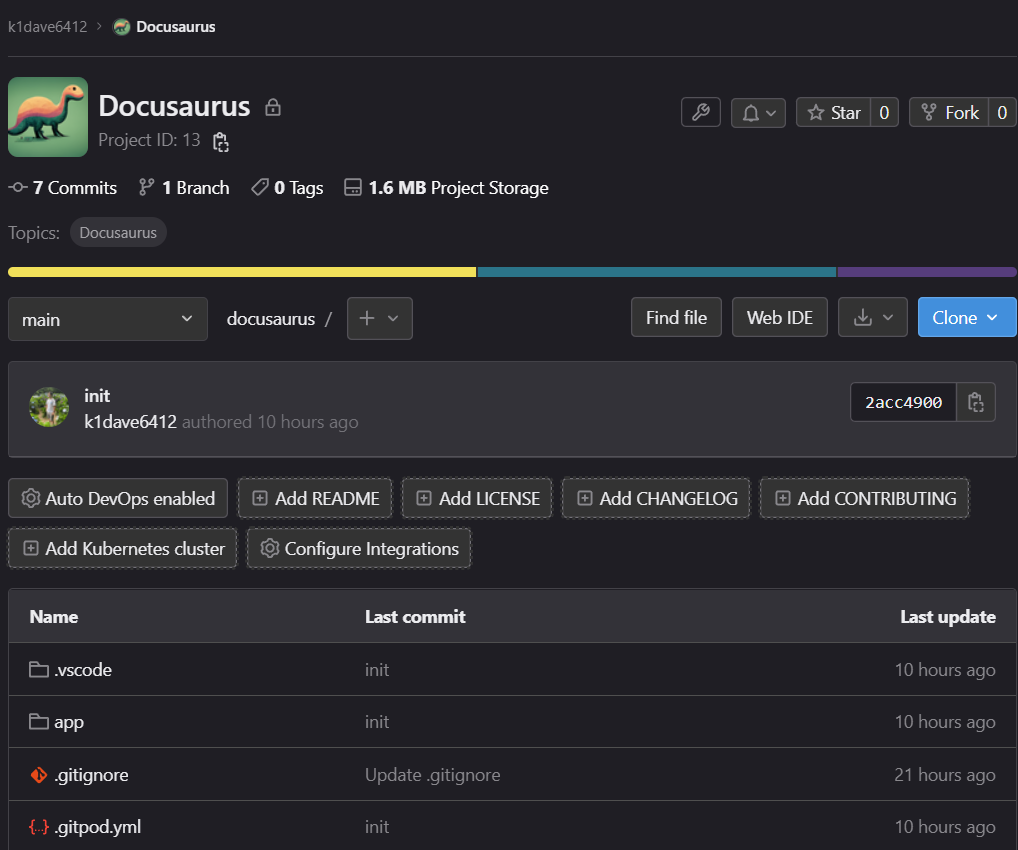
2. 以及一個做為來源的 Gitlab Repo
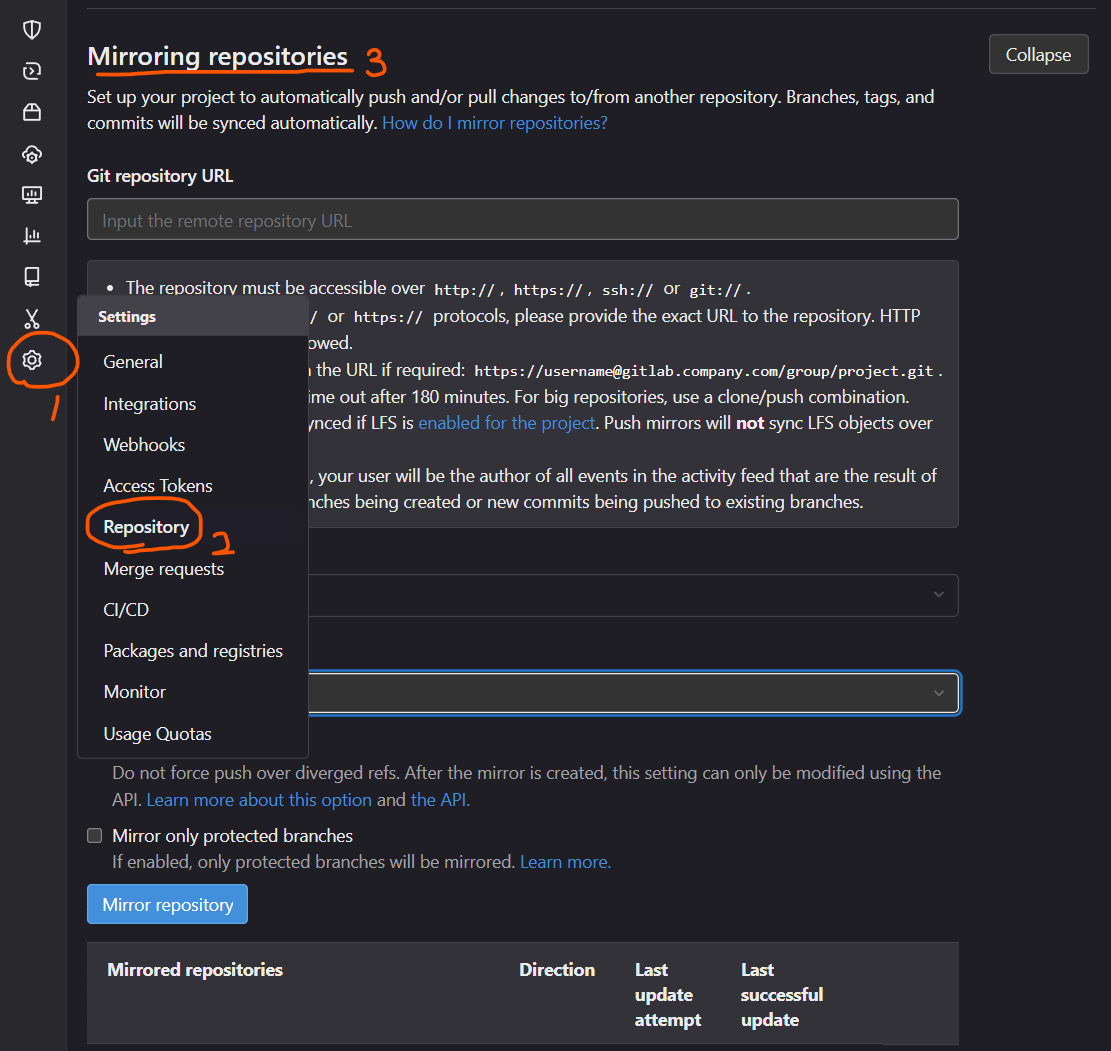
3. 前往 Gitlab Mirroring repositories
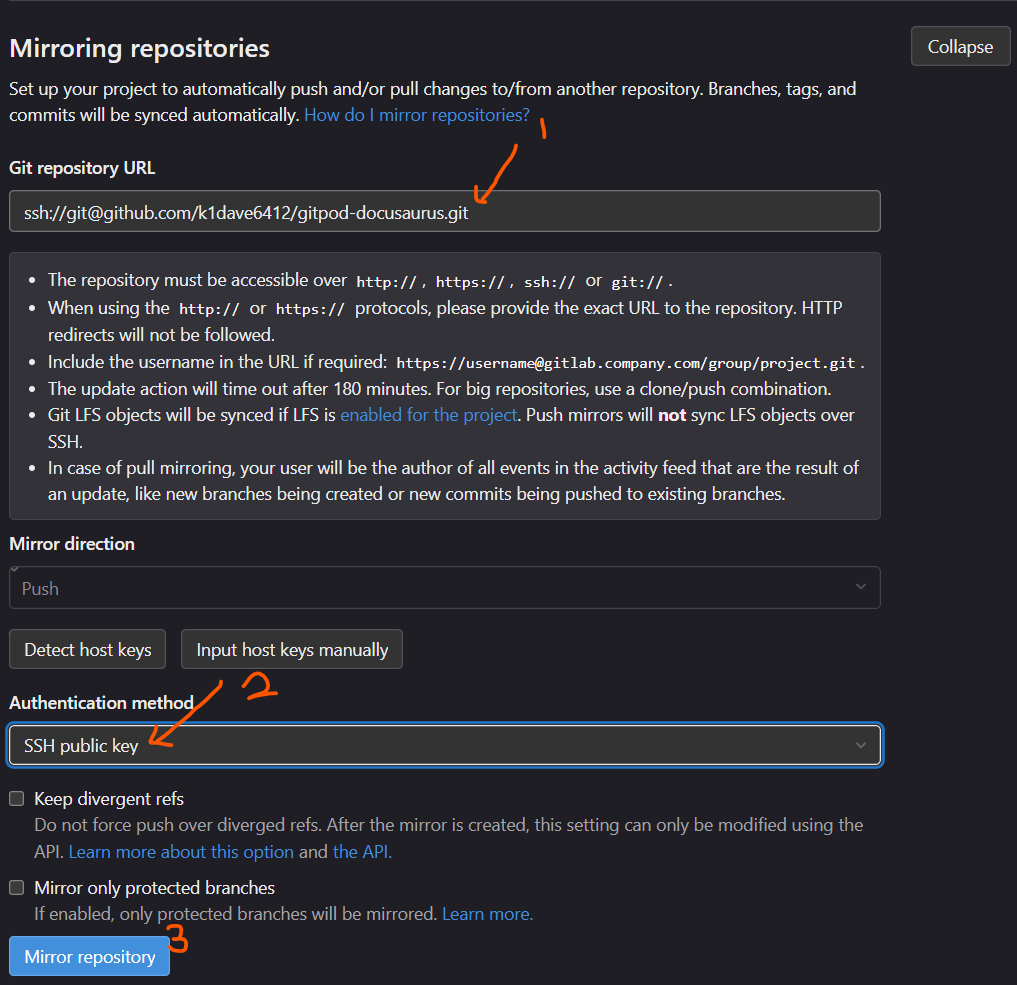
4. 進行設定 - Gitlab
- 複製 Github Repo SSH 網址到下方的 Code Block
- 將結果複製到 Gitlab 上
- 設定認證方式為 SSH Public Key
- 點擊 Mirror repository
即時編輯器
function ConvertToGitlab(props) {
  const [value, setValue] = useState('git@github.com:k1dave6412/gitpod-docusaurus.git');
  const [outputValue, setOutputValue] = useState('ssh://git@github.com/k1dave6412/gitpod-docusaurus.git	');

  const onChangeHandler = event => {
    setValue(event.target.value);

    let out = event.target.value.replace('git@github.com:', 'git@github.com/')
    setOutputValue('ssh://' + out)
  };

  return (
      <ul class="form-style-1">
        <li>
          <label>GitHub SSH 網址<span class="required">*</span></label>
          <input type="text" class="field-long" value={value} onChange={onChangeHandler} />
        </li>
        <li>
            <label>Response</label>
            <div
              class="field-long field-textarea"
            >{outputValue}</div>
          </li>
      </ul>
  );
}
結果
Loading...
5. 進行設定 - Github
- 從 Gitlab 複製 SSH Public Key
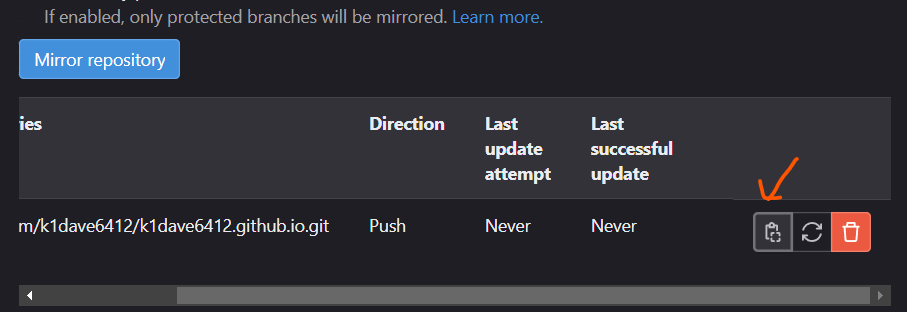
- 貼上到 Github 的 Deploy Key (Allow Write)
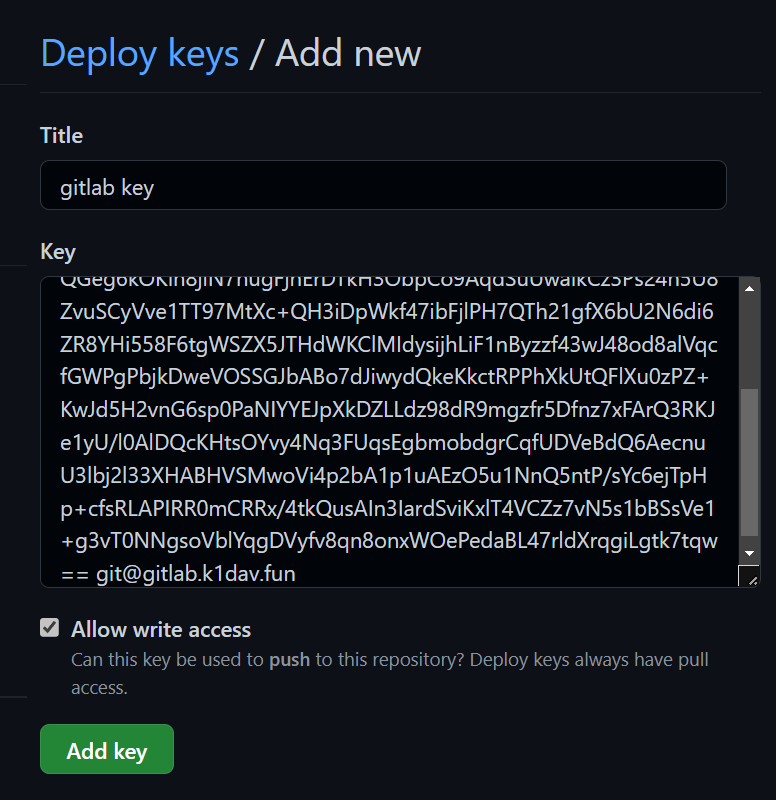
6. 靜待 1 分鐘後,再從 Gitlab 進行 Sync
在 Last successfully update 出現時間就成功了!

開始同步
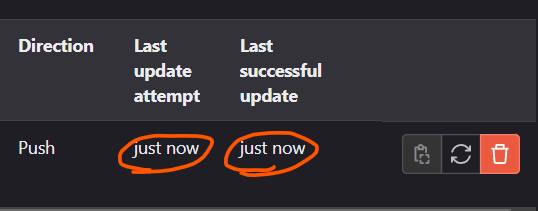
成功
提示
太快 Sync 容易 Fail... (屢試不爽)