用 Github Action 發佈
目前先用簡單的 Action 發佈吧! 我們可以在之後加上 CI/CD
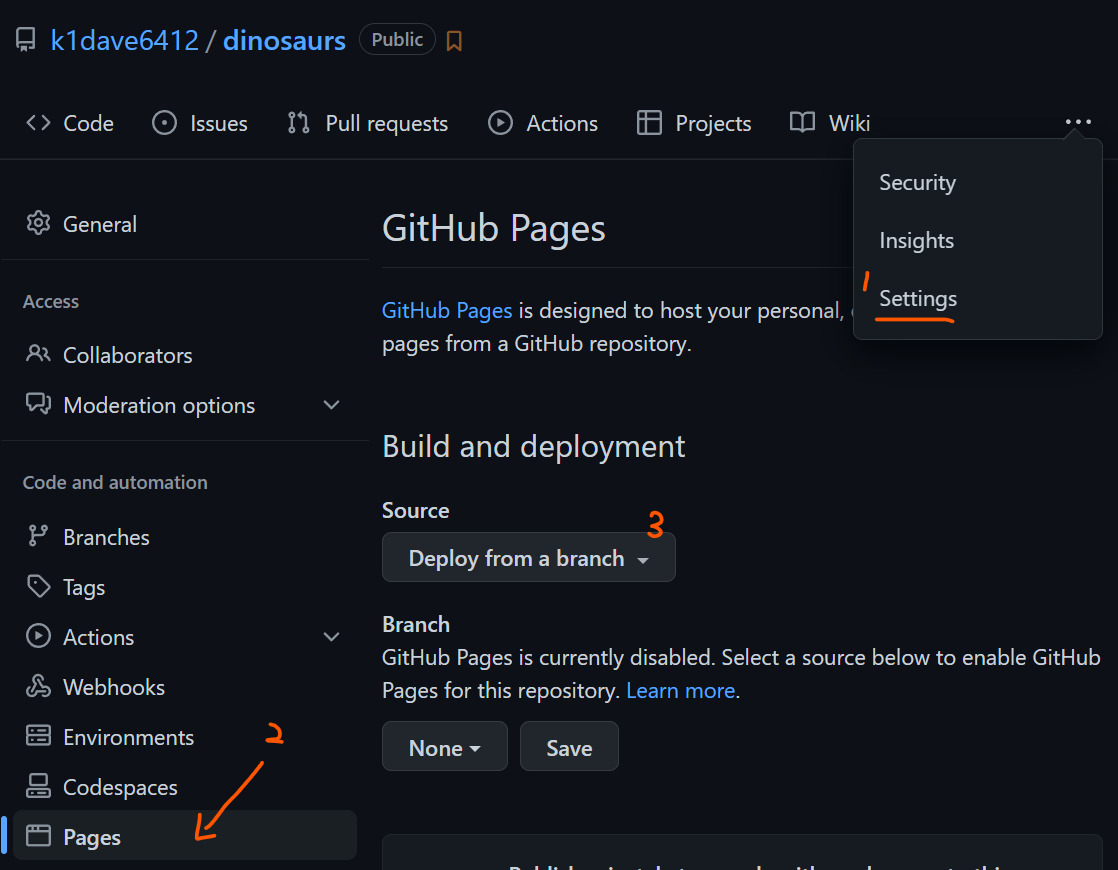
1. 設定 Github Pages 為透過 Action 觸發
- Settings
- Pages
- 挑選 Github Action
2. 設定 Github Pages Action Workflow
- 建立一個 Workflow,如下
並修改
<folder_name>的部份成自己的資料夾名稱
.github/workflows/gh-pages.yml
name: build and deploy Pages

on:
  # Runs on pushes targeting the default branch
  push:
    branches: ["main"]

  # Allows you to run this workflow manually from the Actions tab
  workflow_dispatch:

# Sets permissions of the GITHUB_TOKEN to allow deployment to GitHub Pages
permissions:
  contents: read
  pages: write
  id-token: write

# Allow one concurrent deployment
concurrency:
  group: "pages"
  cancel-in-progress: true

jobs:
  # Build job
  build:
    runs-on: ubuntu-latest
    # setting folder
    defaults:
      run:
        working-directory: <folder_name>
    steps:
      - name: Checkout
        uses: actions/checkout@v3
      - name: Setup Pages
        uses: actions/configure-pages@v2
      - name: Build with npm
        run: |
          npm install
          npm run-script build
      - name: Upload artifact
        uses: actions/upload-pages-artifact@v1
        with:
          path: <folder_name>/build

  # Deployment job
  deploy:
    environment:
      name: github-pages
      url: ${{ steps.deployment.outputs.page_url }}
    runs-on: ubuntu-latest
    needs: build
    steps:
      - name: Deploy to GitHub Pages
        id: deployment
        uses: actions/deploy-pages@v1
3. 修改 docusaurus.config.js 設定
有三個屬性需要修改
const config = {
    url: 'https://k1dave6412.github.io/dinosaurs',    // 部署後的網址
    organizationName: 'k1dave6412', // GitHub 名字
    projectName: 'k1dave6412/dinosaurs', // Github Repo
}
4. Action 成功跑完就可以看網頁了
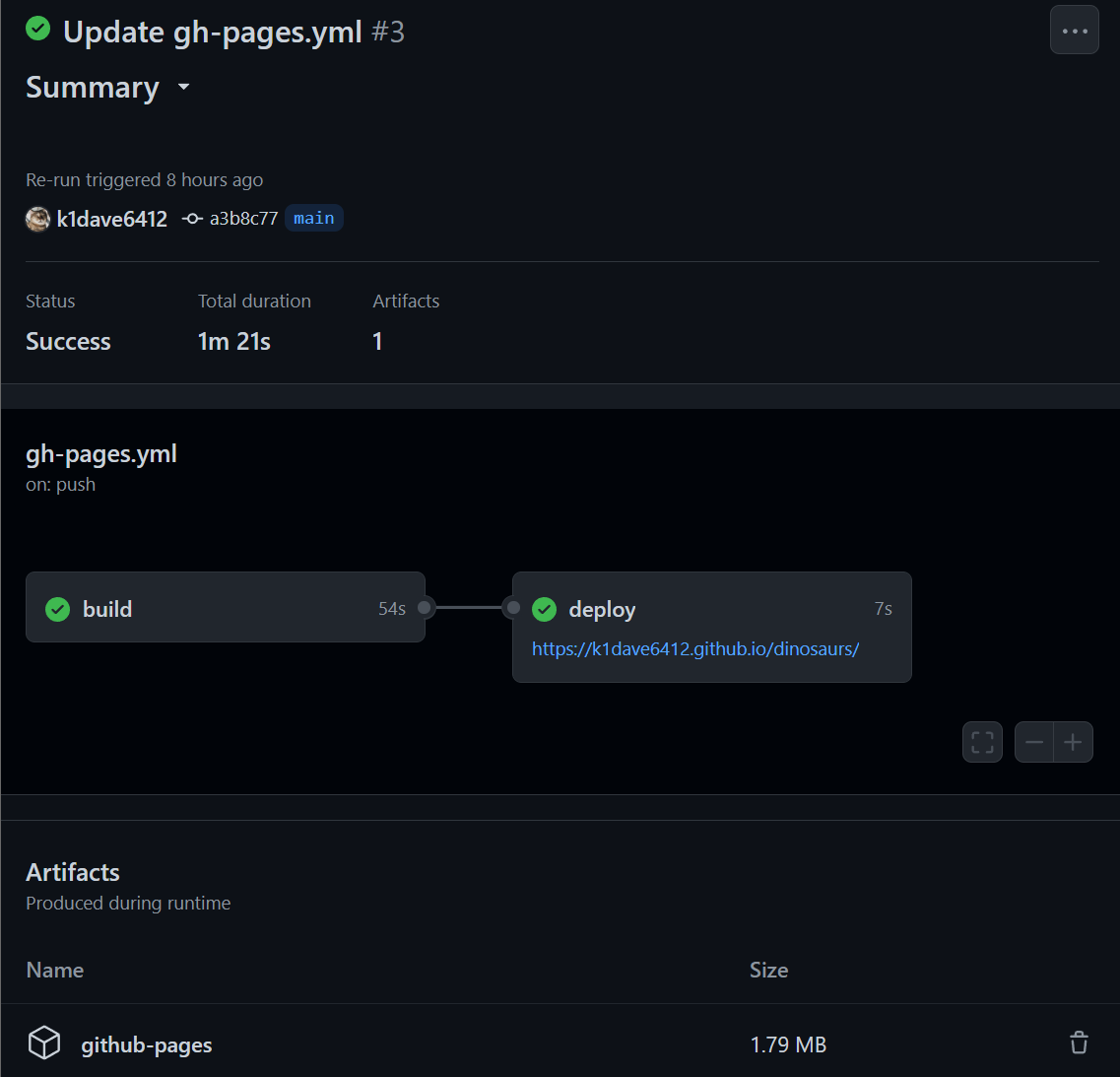
成功的 Github Action

成功的 Docusaurus Page
Opt.1 設定 Custom Domain 並加上憑證
常見問題
Docusaurus Page 出現 Error
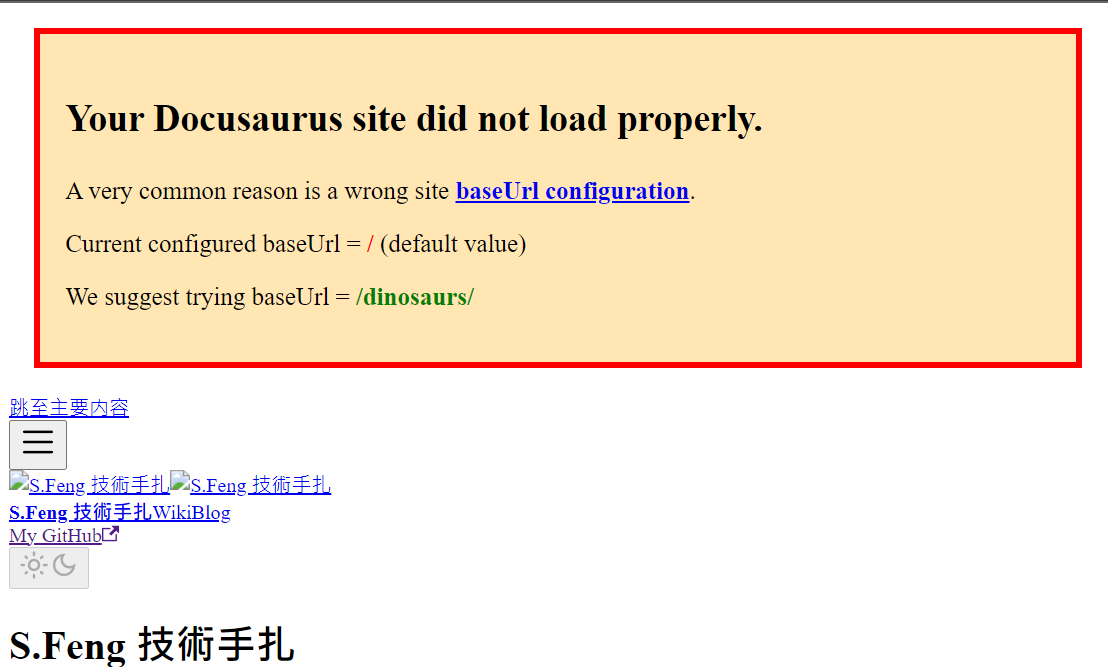
原因
Github Page 的 URL 與 Docusaurus 不符
- 根據 Github Pages - Types of GitHub Pages sites 說明,可以知道以下規則
| 是 Personal Site | 是 Organization Site | |
|---|---|---|
Repo 名稱為 <username>.github.io | http(s)://<username>.github.io | 視為其他名稱 |
Repo 名稱為 <organization>.github.io | 視為其他名稱 | http(s)://<organization>.github.io |
| Repo 為其他名稱 | http(s)://<username>.github.io/<repository> | http(s)://<organization>.github.io/<repository> |
解決方式
- 修改 docusaurus.config.js 的 baseUrl 為
/<repository> - 使用
<username>.github.io或<organization>.github.io名稱的 Repo - 設定 custom domain