安裝 Algolia
安裝 Algolia 讓 Docusaurus 有全文檢索的功能
前置動作
- 需要建立 sitemap.xml,可以透過安裝 plugin-sitemap
- 有 Algolia 帳號
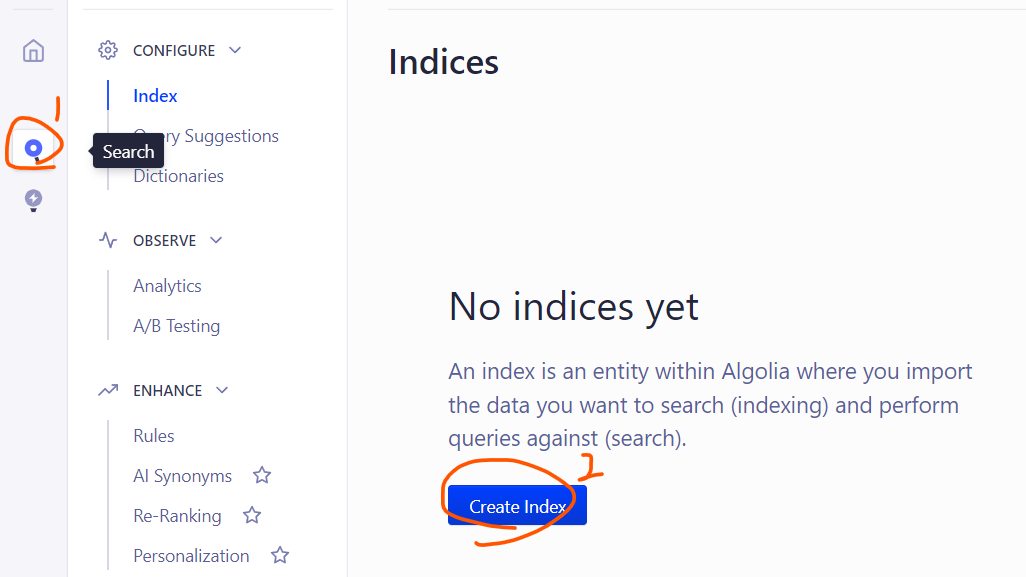
1. 建立 Algolia Index
- 前往 Search 進行建立
2. 取得 API Key
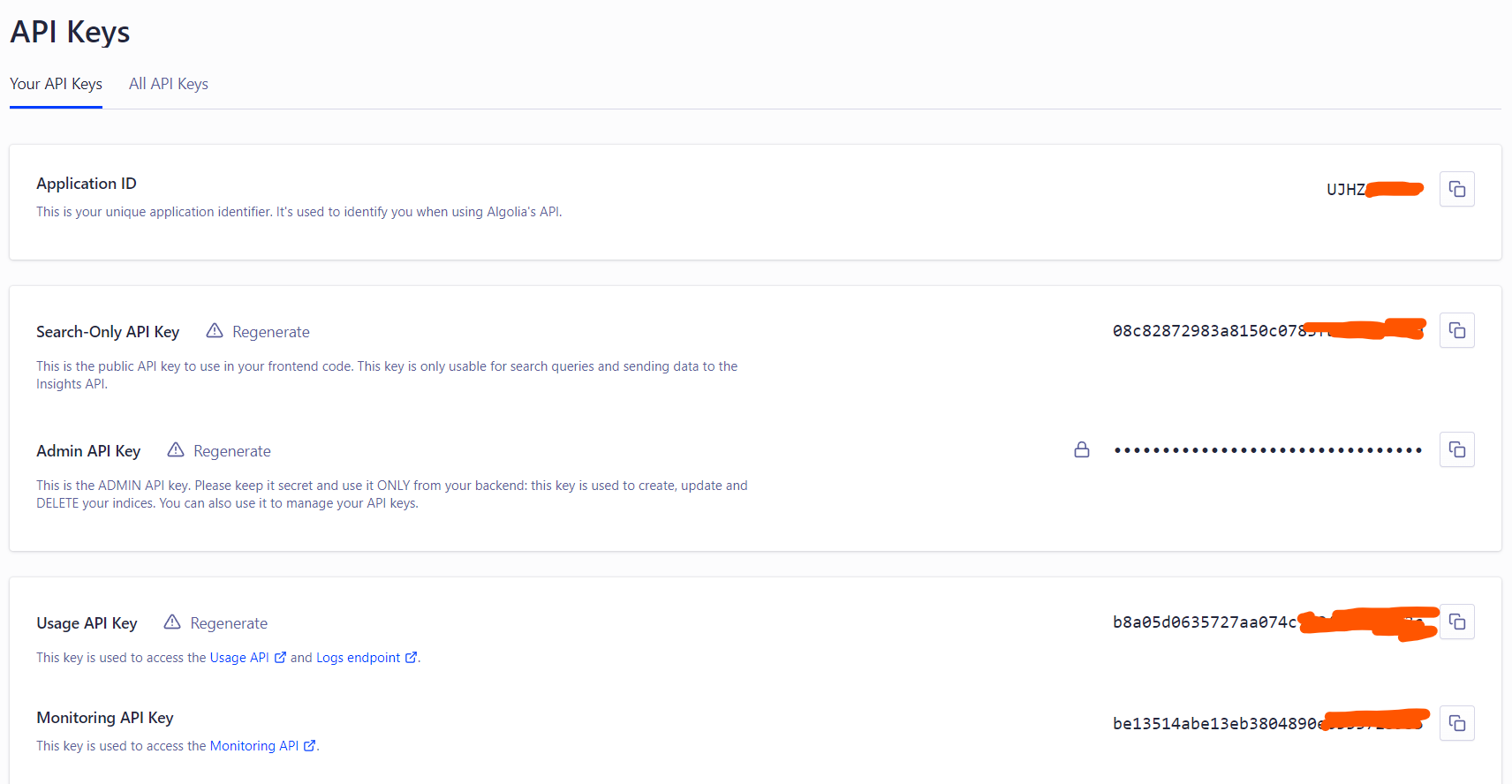
- 前往 API Keys 頁面

3. 設定 docusaurus.config.js
- 從 API Key 頁面貼上對應的資料
module.exports = {
  // ...
  themeConfig: {
    // ...
    algolia: {
      appId: "YOUR_APP_ID", // The application ID provided by Algolia
      apiKey: "YOUR_SEARCH_API_KEY", // 填上 Search Only Key 即可
      indexName: "YOUR_INDEX_NAME",
      contextualSearch: true, // Optional: see doc section below
      searchPagePath: "search", // Optional: path for search page that enabled by default (`false` to disable it)
    },
  },
};
4. 在 Github Action 加上 Algolia Crawler
觸發爬蟲才能夠在頁面上進行搜尋
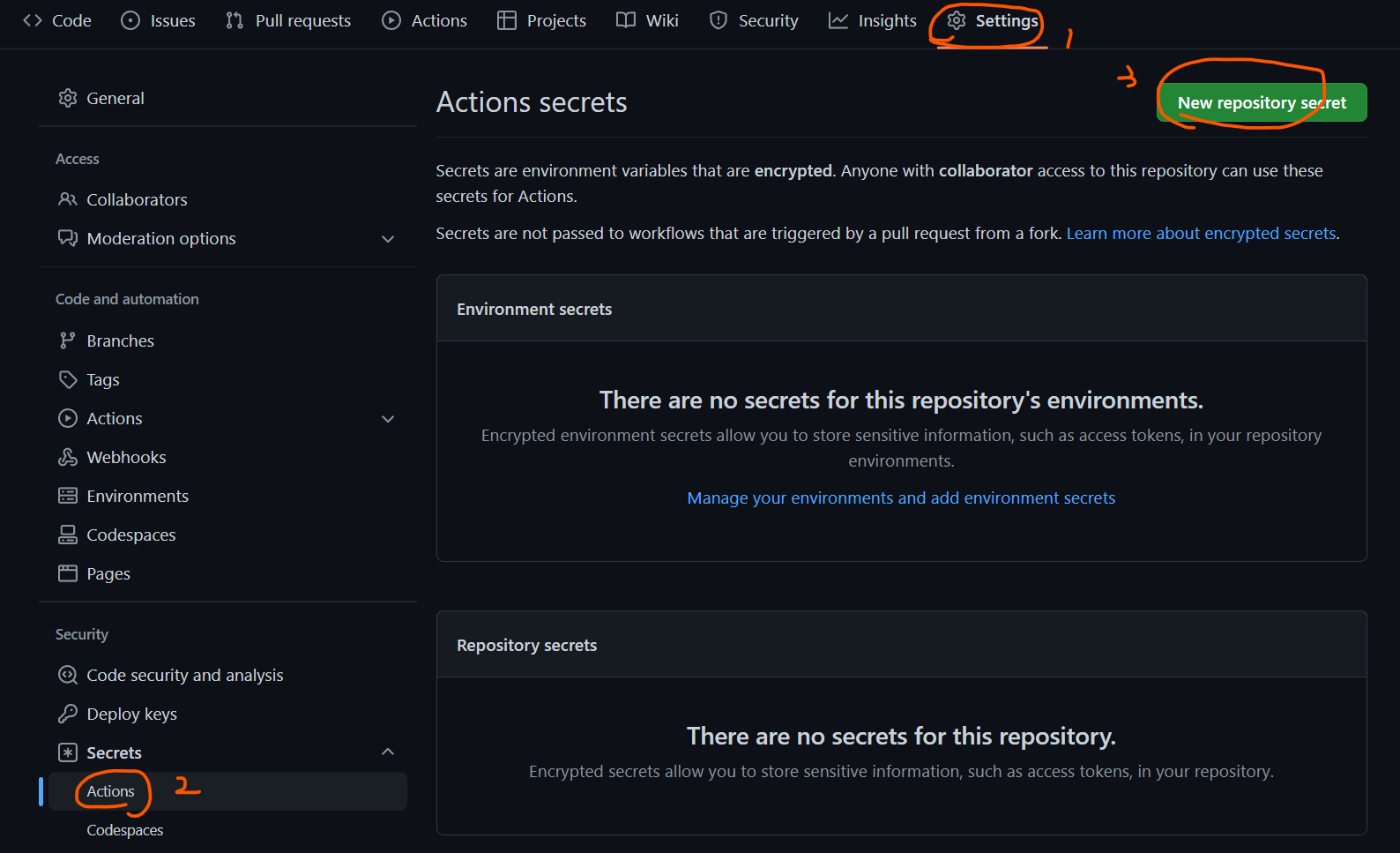
4-1. 將 Admin Key & App Id 加至 Github Action Secrets
我是設定 ALGOLIA_KEY & ALGOLIA_ID
- ALGOLIA_KEY 放 Admin Key
- ALGOLIA_ID 放 Application Id
4-2. 加上設定檔
修改 highlight 地方
.github/algolia/docusaurus-v2.json
{
  "index_name": "k1dave6412.github.io",
  "start_urls": ["https://k1dave6412.github.io/"],
  "sitemap_urls": ["https://k1dave6412.github.io/sitemap.xml"],
  "sitemap_alternate_links": true,
  "stop_urls": [],
  "selectors": {
    "lvl0": {
      "selector": "(//ul[contains(@class,'menu__list')]//a[contains(@class, 'menu__link menu__link--sublist menu__link--active')]/text() | //nav[contains(@class, 'navbar')]//a[contains(@class, 'navbar__link--active')]/text())[last()]",
      "type": "xpath",
      "global": true,
      "default_value": "Documentation"
    },
    "lvl1": "header h1",
    "lvl2": "article h2",
    "lvl3": "article h3",
    "lvl4": "article h4",
    "lvl5": "article h5, article td:first-child",
    "lvl6": "article h6",
    "text": "article p, article li, article td:last-child"
  },
  "strip_chars": " .,;:#",
  "custom_settings": {
    "separatorsToIndex": "_",
    "attributesForFaceting": ["language", "version", "type", "docusaurus_tag"],
    "attributesToRetrieve": ["hierarchy", "content", "anchor", "url", "url_without_anchor", "type"]
  }
}
4-3. 在 Github Action Workflow 加上 Action
添加 highlight 的地方就可以了
如果你是其他方案可以用 Algolia 的 Crawler
只有免費的方案要用 algolia/docsearch-scraper 的 docker image 進行爬蟲
# ...
jobs:
  deploy:
    steps:
      # ...
      - name: Checkout
        uses: actions/checkout@v3

      - name: Run DocSearch Scraper
        env:
          APPLICATION_ID: ${{ secrets.ALGOLIA_ID }}
          API_KEY: ${{ secrets.ALGOLIA_KEY }}
        run: |
          docker run \
          -e APPLICATION_ID -e API_KEY \
          -e CONFIG="$(cat .github/algolia/docusaurus-v2.json)" \
          algolia/docsearch-scraper
- name: Checkout uses: actions/checkout@v3
這部份是因為我在 deploy 的階段是用 artifact 所以沒有 repo 資料
要先 checkout 才能讀到 repo 資料
::
常見問題
出現 Module not found
Module not found: Error: Can't resolve '@theme/SearchPage' in '/workspace/docusaurus/app/.docusaurus
原因
通常是修改 docusaurus.config.js 後沒有重啟
解法
重啟